


01 / SITE STRUCTURE
Building AGround floorPump roomFire Pump 02
Know exactly where.
Organize buildings, floors, zones and assets.
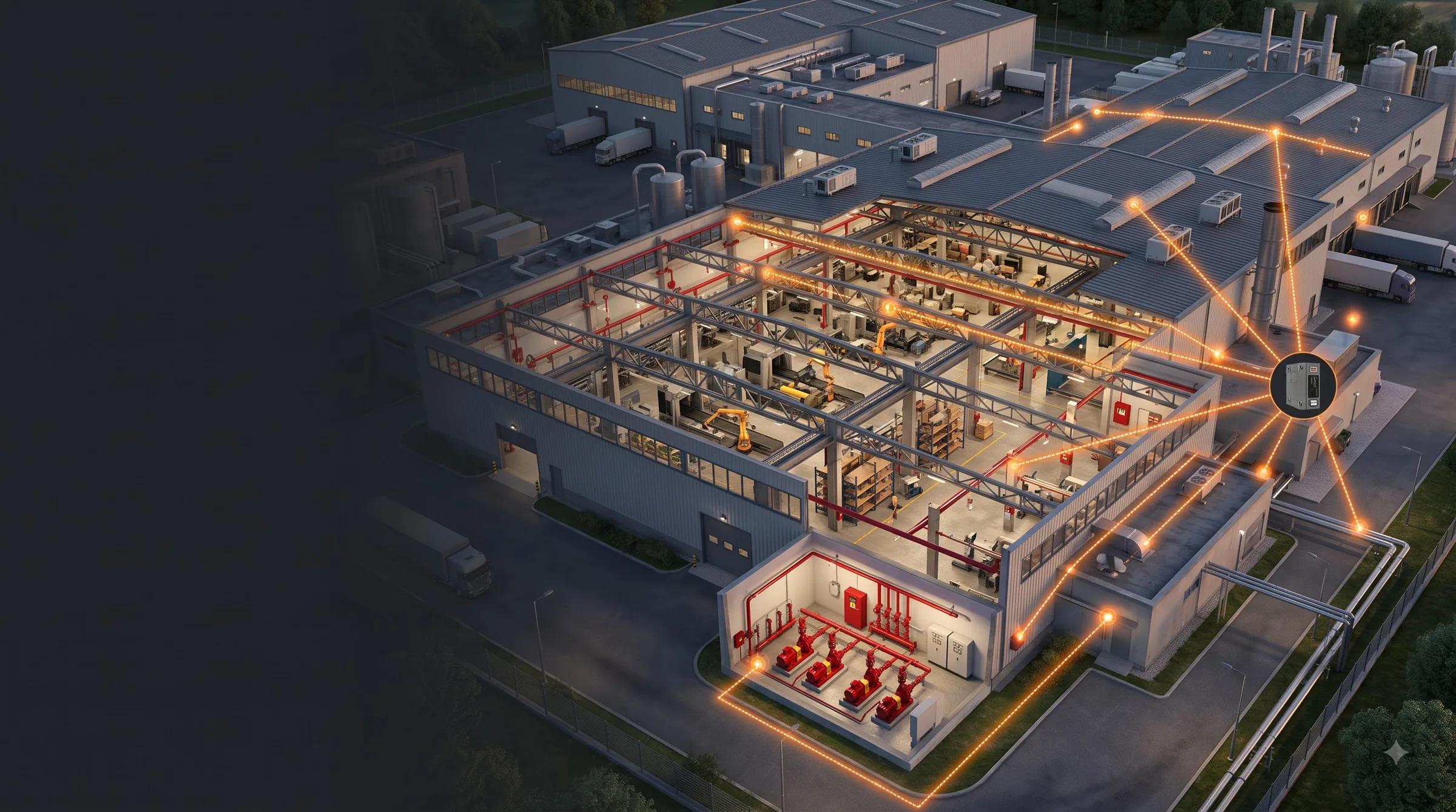
Connect your fire equipment. See faults and alerts in one place. Help the right person respond.
Built around your existing fire infrastructure.
01 — THE PROBLEM
Separate panels, scattered events and manual checks make it harder to see what needs attention.
WITHOUT A SHARED VIEW
WITH FIREOS
Building A / Ground floor / Pump room
Location, equipment and history stay together.
Illustrative event. Available signals depend on the equipment and its supported interface.
02 — HOW FIREOS WORKS
Follow one signal. See how equipment, software and people work together.
EquipmentA panel, pump or tank on any floor reports its condition.
Panels, pumps and tanks across floors and zones
Collect and securely send available signals.
BACnet · Modbus · APIs*Illustrative journey. Compatibility is validated during the site survey. FireOS monitors and informs; certified fire systems and established emergency procedures retain their life-safety roles.
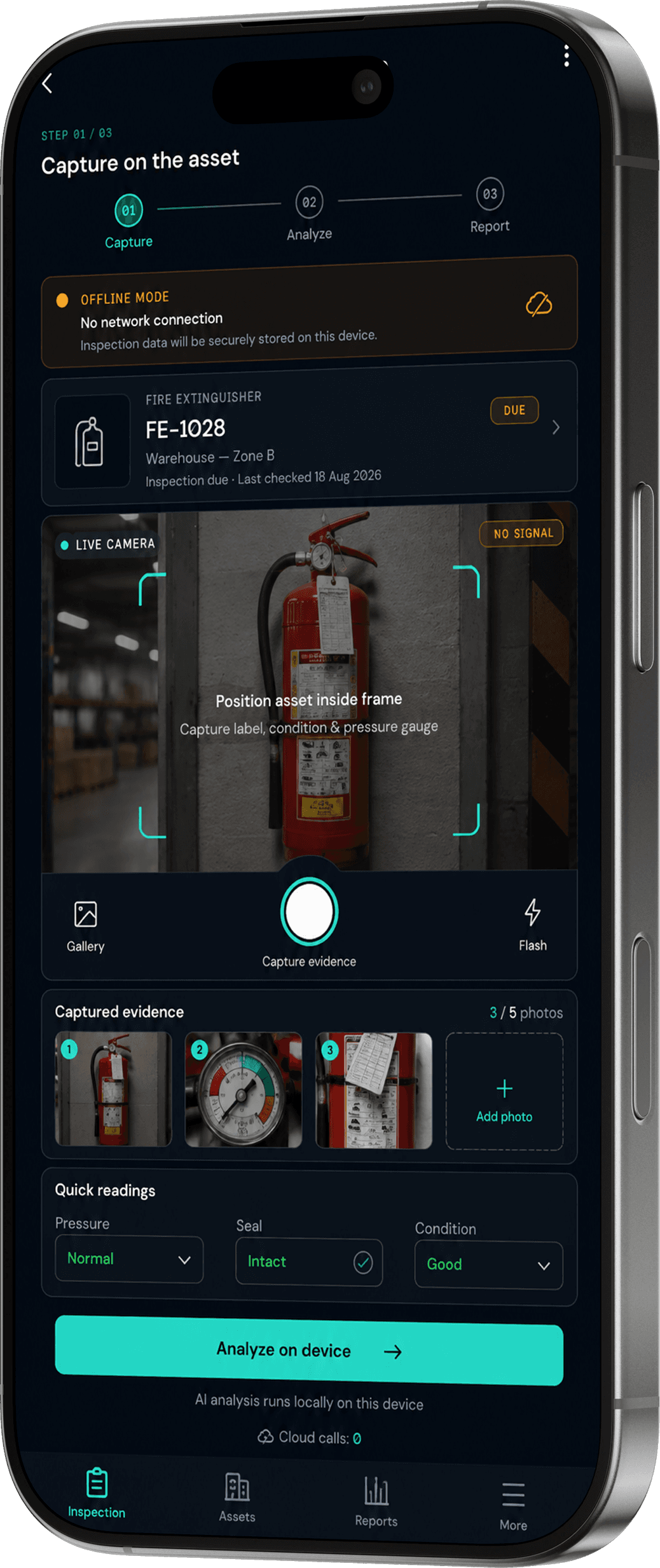
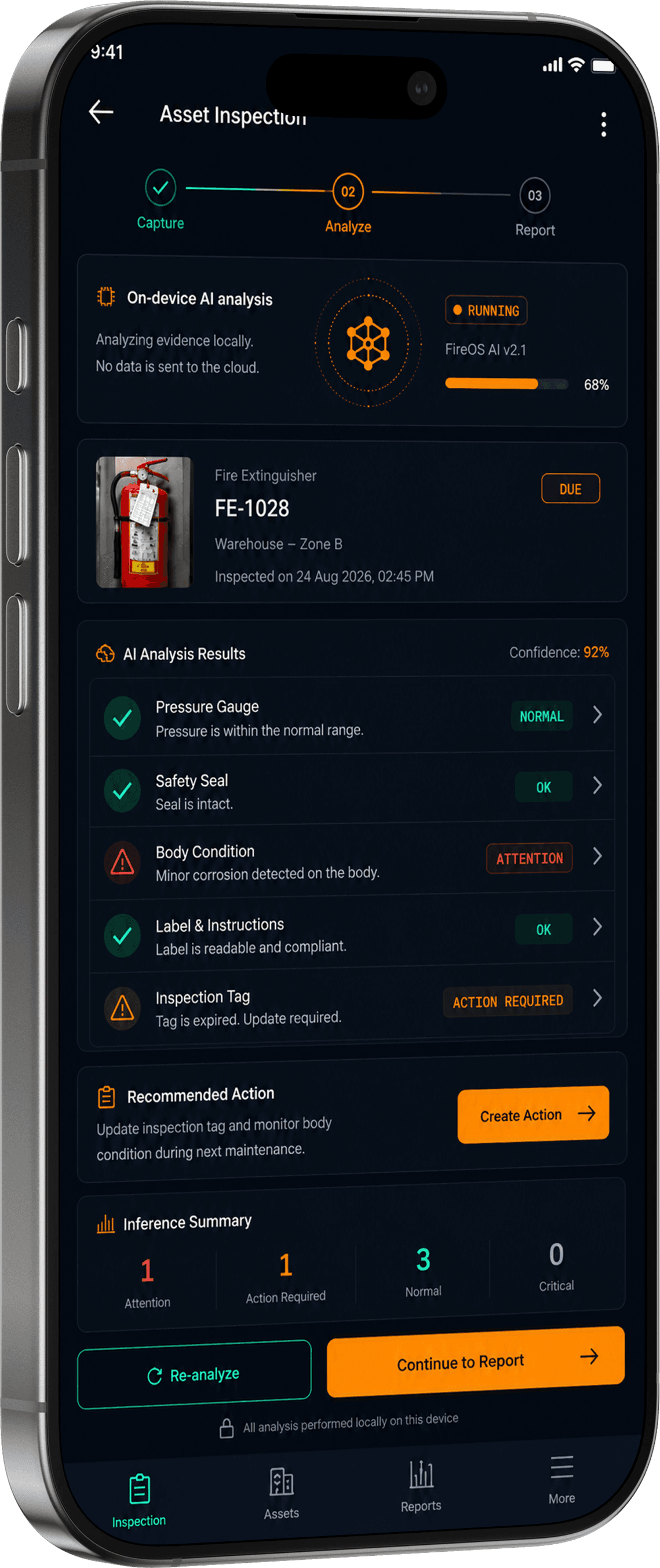
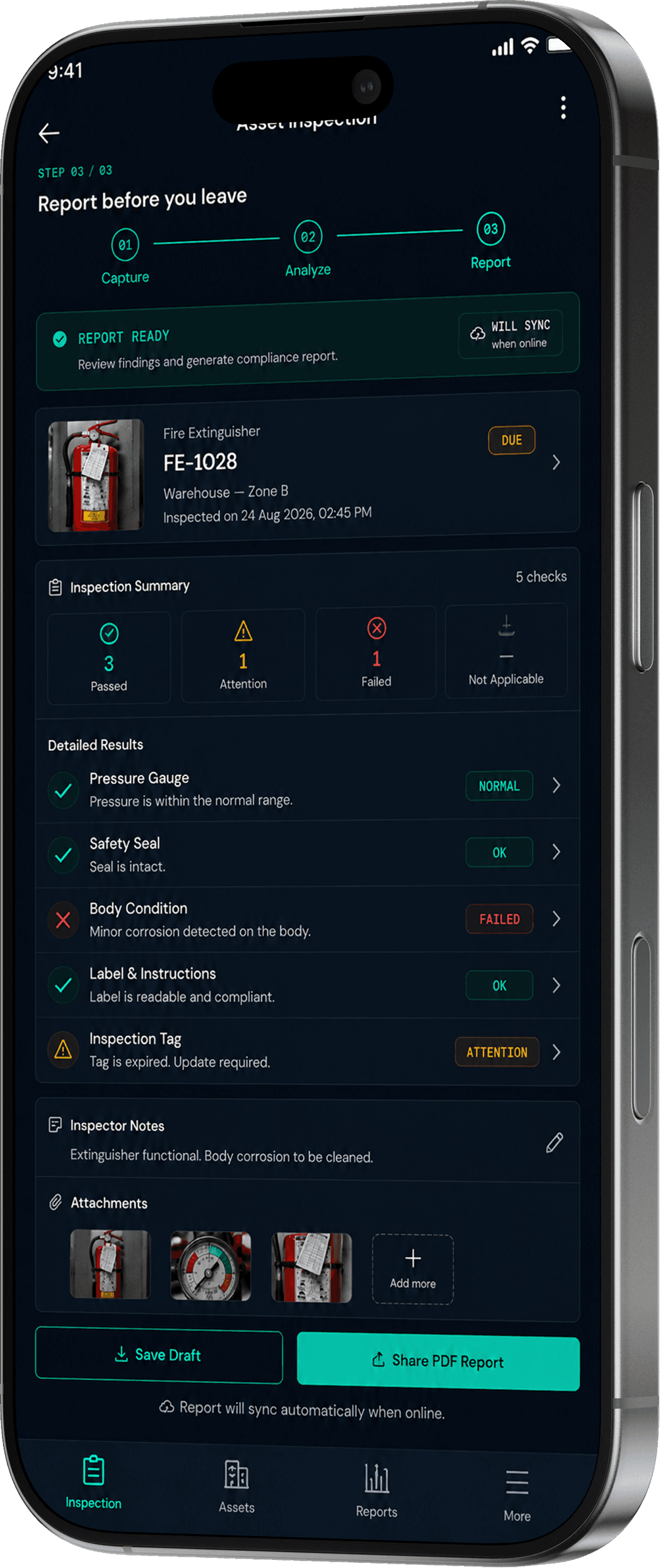
A mobile application that runs a local LLM on the device. Inspections are analyzed and full compliance reports are generated on the phone — no connectivity, no cloud round-trip, no data leaving the site.
Runs on device
Local LLM
Inference happens on the handset, not in a data centre.
Network required
None
Basements, plant rooms, remote sites and dead zones.
Report output
On the spot
A signed compliance report before leaving the asset.
Data residency
Stays on site
Evidence never leaves the device until you sync it.
04 — THE CONNECTED PLATFORM
Six essentials bring your site, equipment and people into the same view.
Organize buildings, floors, zones and assets.
Read supported signals, faults and sensor values.
Turn configured conditions into clear alerts.
Distinguish communication loss from equipment faults.
Review events, acknowledgments and basic reports.
Set permissions around responsibilities and buildings.
Sample records shown. Roles, alert rules and available data are configured for the agreed site.
05 — EXPLORE THE CONTROL CENTER
Select equipment below. See its location, understand the event and try acknowledging a sample alert.
Building A / Ground floor / Pump room
Review the equipment fault and coordinate with the responsible site team.
Acknowledgment records awareness; it does not resolve the fault.
06 — BUILT AROUND YOUR SITE
Start with your equipment and operating needs. Design the connection around them.
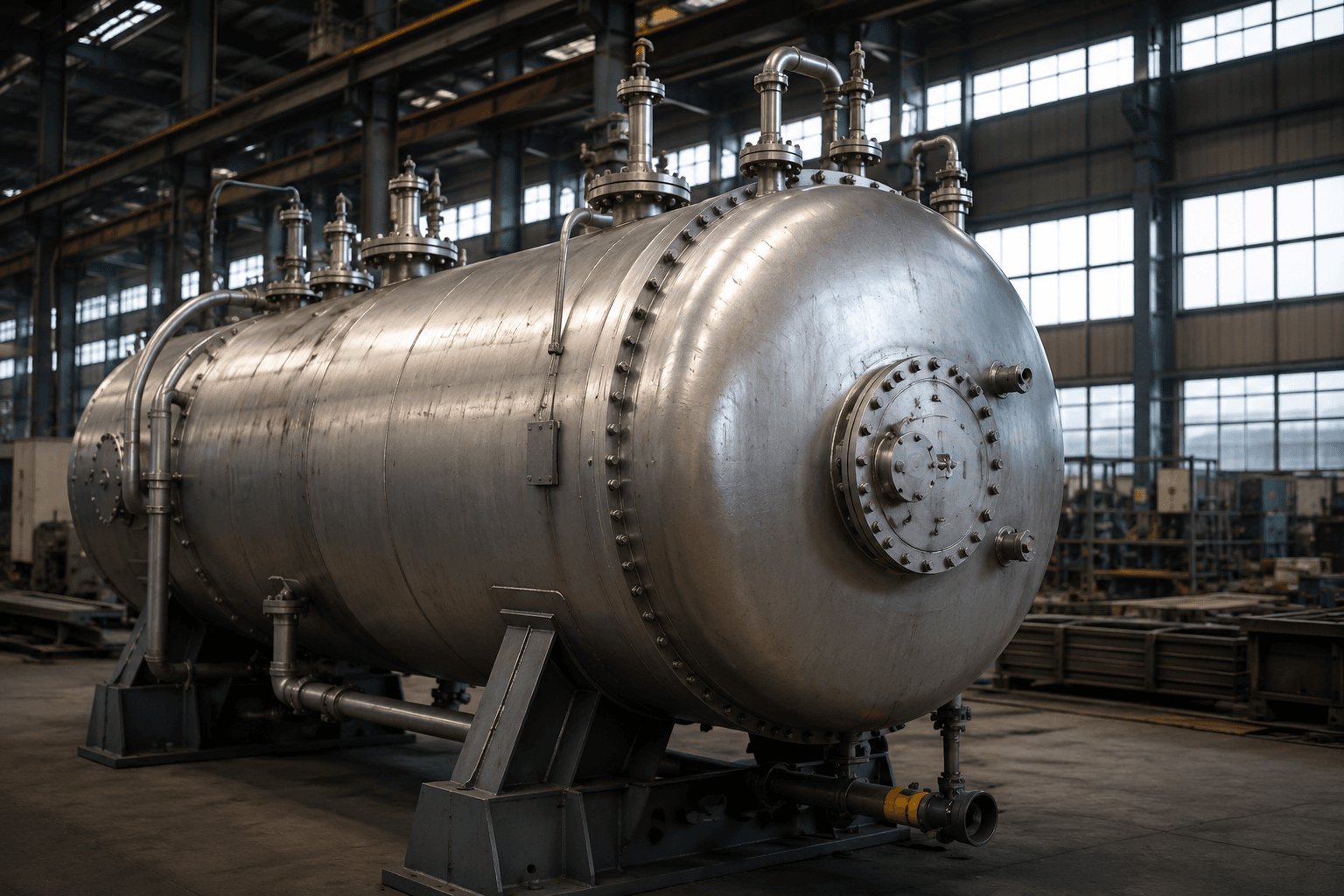
Keep pumps, tanks and equipment faults visible across the plant.
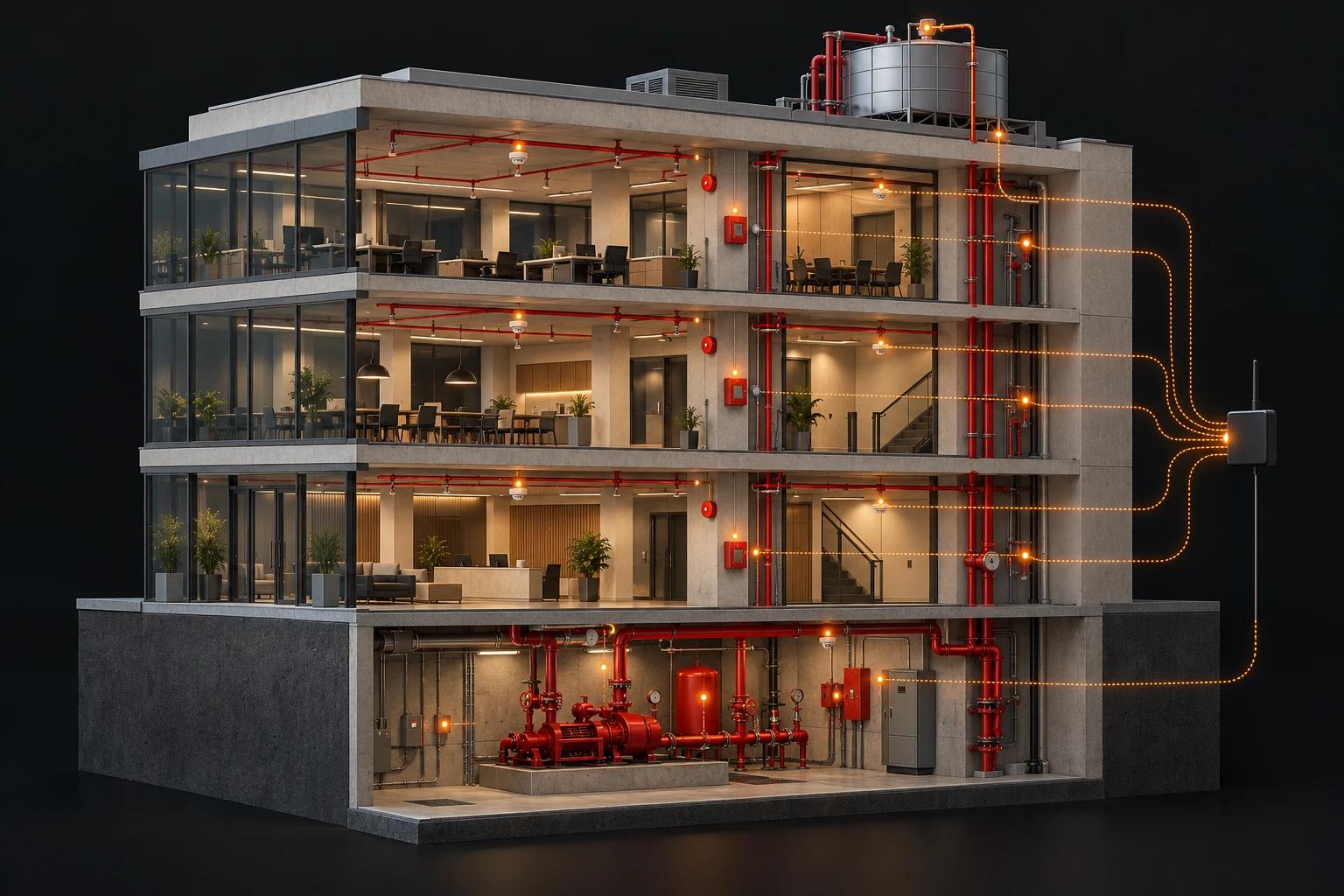
Trace each event to its building, floor, zone and equipment.
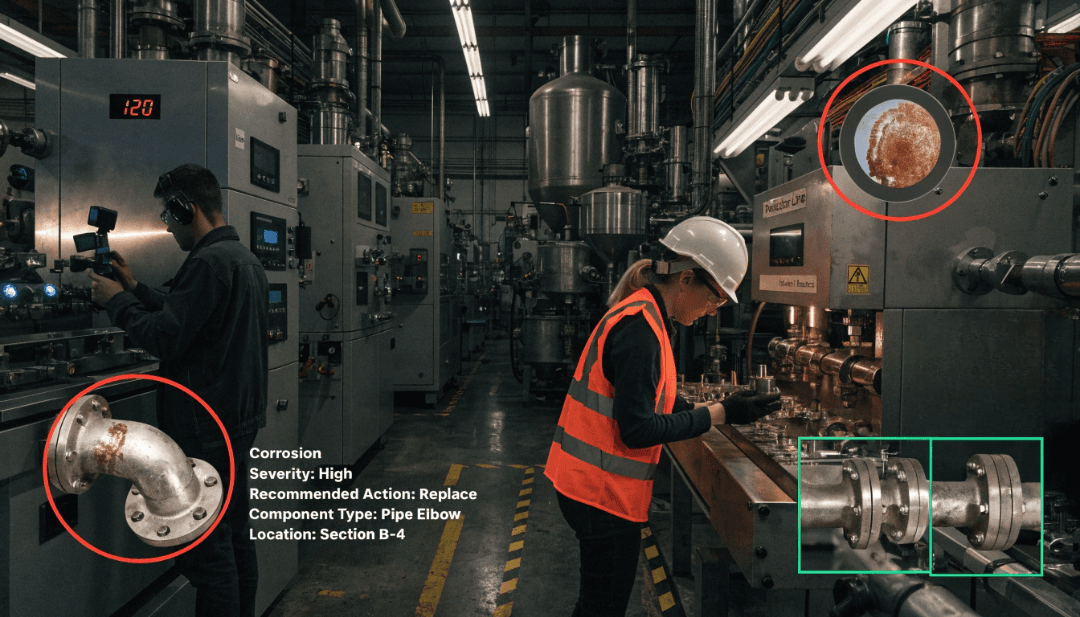
Bring supported equipment signals into one monitoring view.
07 — ONE EVENT FROM START TO FINISH
Watch one event move from equipment to operator. Pause or choose any step to explore at your own pace.
Building A / Ground floor / Pump room
The pump interface reports a fault.
Notifications use configured channels. Email, SMS and WhatsApp availability depends on the selected provider and deployment.
08 — START WITH ONE SITE
Begin with an agreed pilot building. Validate the connections before expanding.
Map equipment, interfaces and available signals.
Integrate agreed devices and organize their locations.
Validate events, alerts, notifications and acknowledgment.
Train the team, hand over and plan the next building.
Connectivity · Monitoring · Alerts · Notifications · Event history
Predictive analytics, video intelligence and advanced AI workflows.
Let’s map your equipment, your site and your first FireOS pilot.